

Film a month of short videos in one afternoon.
The method I run for paying clients, in a 90-page guide. It comes with the prompts, a starter vault and a Claude skill, so your AI can write scripts in your voice. Written for business owners who film on their own phone.
One time. The download link comes by email.
Get the kit for $477-day money-back guarantee.
A 90-page PDF guide, a starter vault folder, an installable Claude skill, and Google Doc and Google Sheet copies of the script template and planning sheet.
One time.
Not on sale yet. It will be a 90-page PDF guide, a starter vault folder, an installable Claude skill, and Google Doc and Google Sheet copies of the script template and planning sheet. I'll email you the day it goes up.
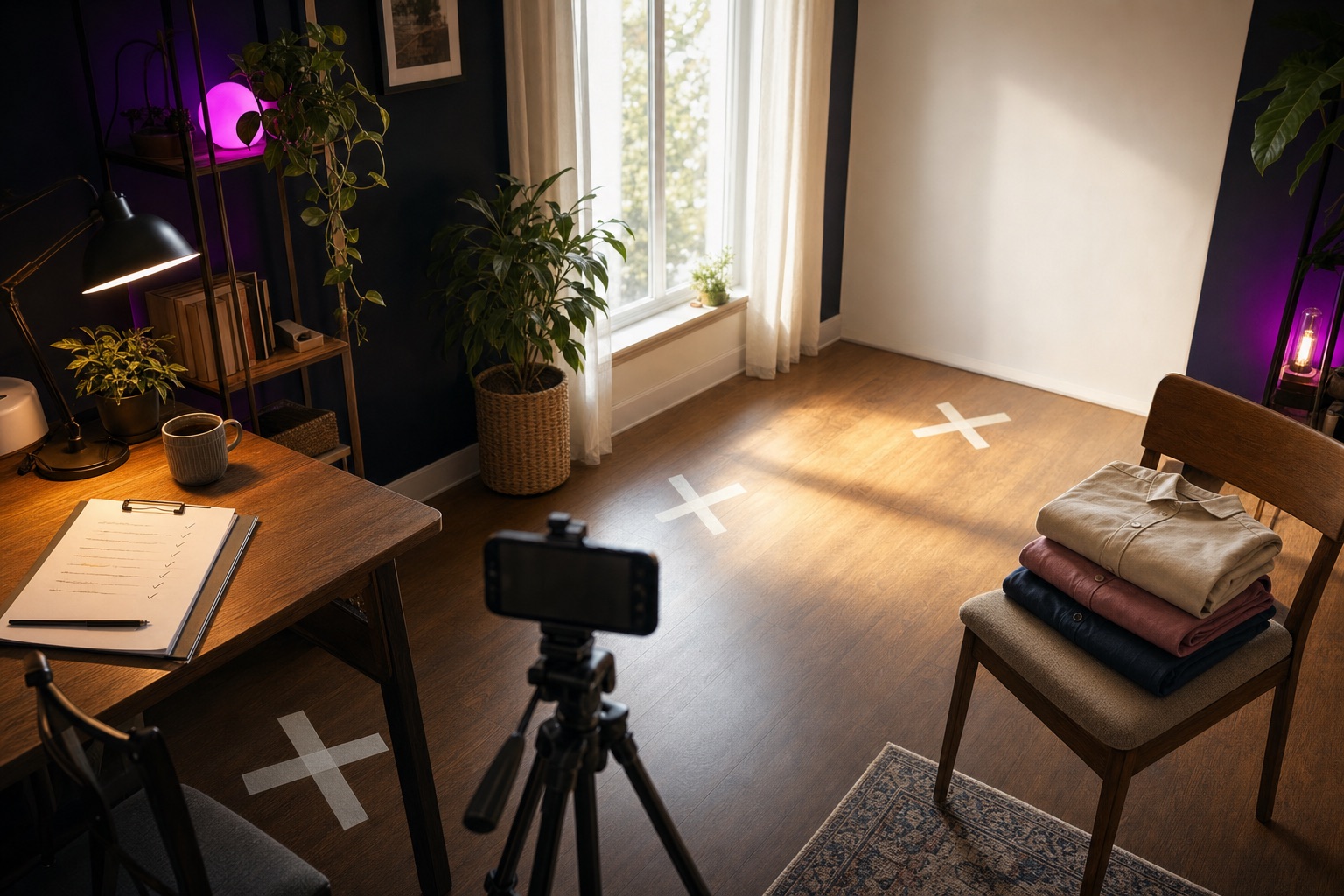
You know you should be posting. You're just trying to come up with it at eight in the morning, in the parking lot, between a phone call and payroll.
So you post twice, miss a week, feel guilty, and post once more. Every video pays for its own setup and its own warm-up, and by video four you're cooked.
Nobody on my shoots works faster than you do. They write the scripts the evenings before, mark three spots in the room, and film every piece that lives at spot A before the phone moves. Three setups for every five scripts. An afternoon of fifteen videos comes to nine setups, and one video at a time would cost you fifteen.
The week around the shoot
- 1
Plan
Evening one. Thirty raw ideas from things you've already done and said, cut to fifteen.
- 2
Write
Evenings two to four. Five scripts a night on the template, every hook checked.
- 3
Block
The night before. Split every script into beats and give each beat a spot.
- 4
Shoot
One afternoon, about four hours. One spot at a time, slating every take out loud.
- 5
Assemble
The evening after. Keep the last good take of every line and stitch each script together.
Fifteen finished videos posted four days a week carry you about a month. Most of your first posts will miss, and the guide says so plainly. When post six flops, post seven is already filmed.
What's in the guide
Read it front to back once. After that, most people live in chapters 2, 5 and 7.
- 1The methodpages 4 to 11
- 2Writing scripts that hold attention12 to 25
- 3Make your AI sound like you26 to 33
- 4Give your AI a memory34 to 41
- 5The prompt pack42 to 55
- 6Worked example56 to 63
- 7Shoot day64 to 69
- 8Piece it together70 to 79
- 9Questions I get asked80 to 87
- 10Bonus: the prompt pack as a Claude skill88 to 89
- Before you go90
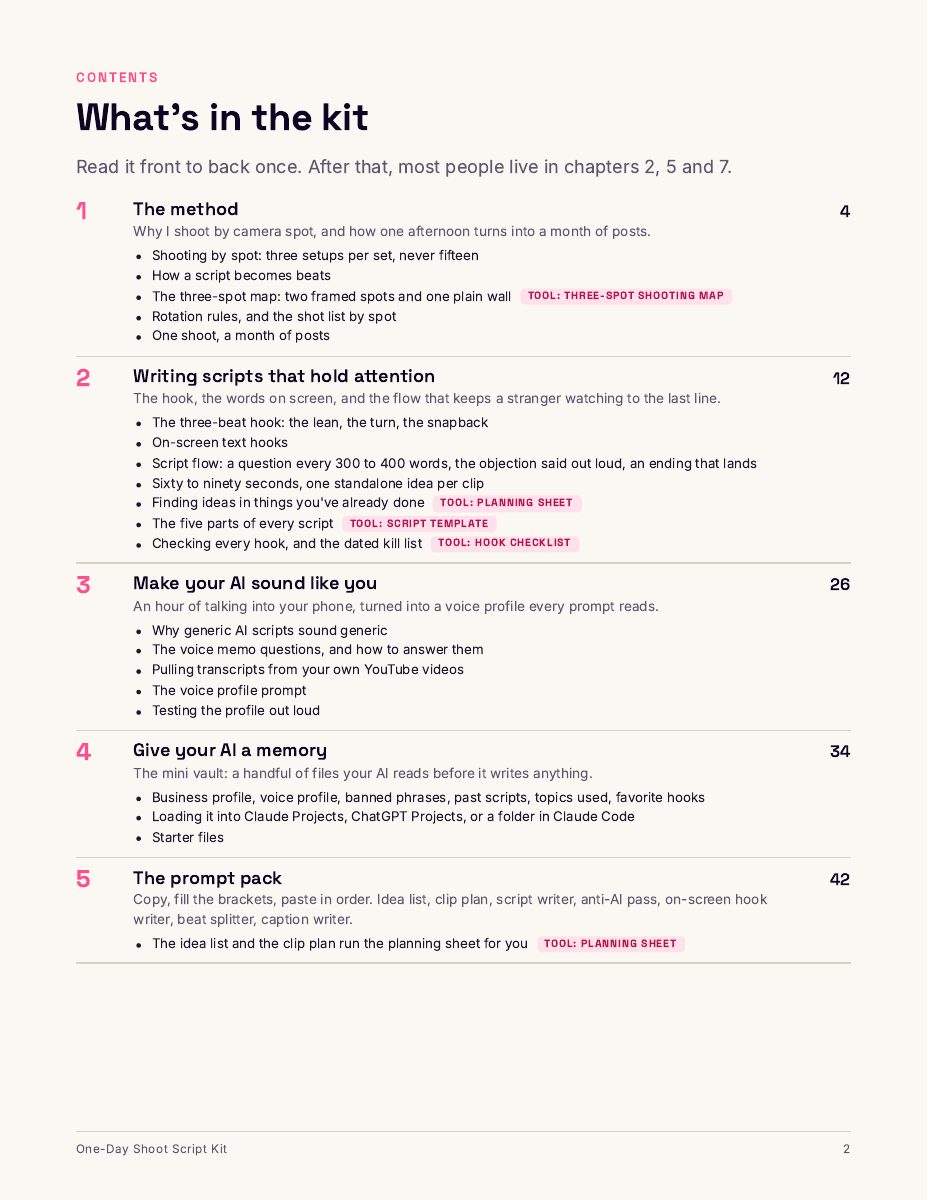
A look at the pages
These are renders of real pages from the PDF.
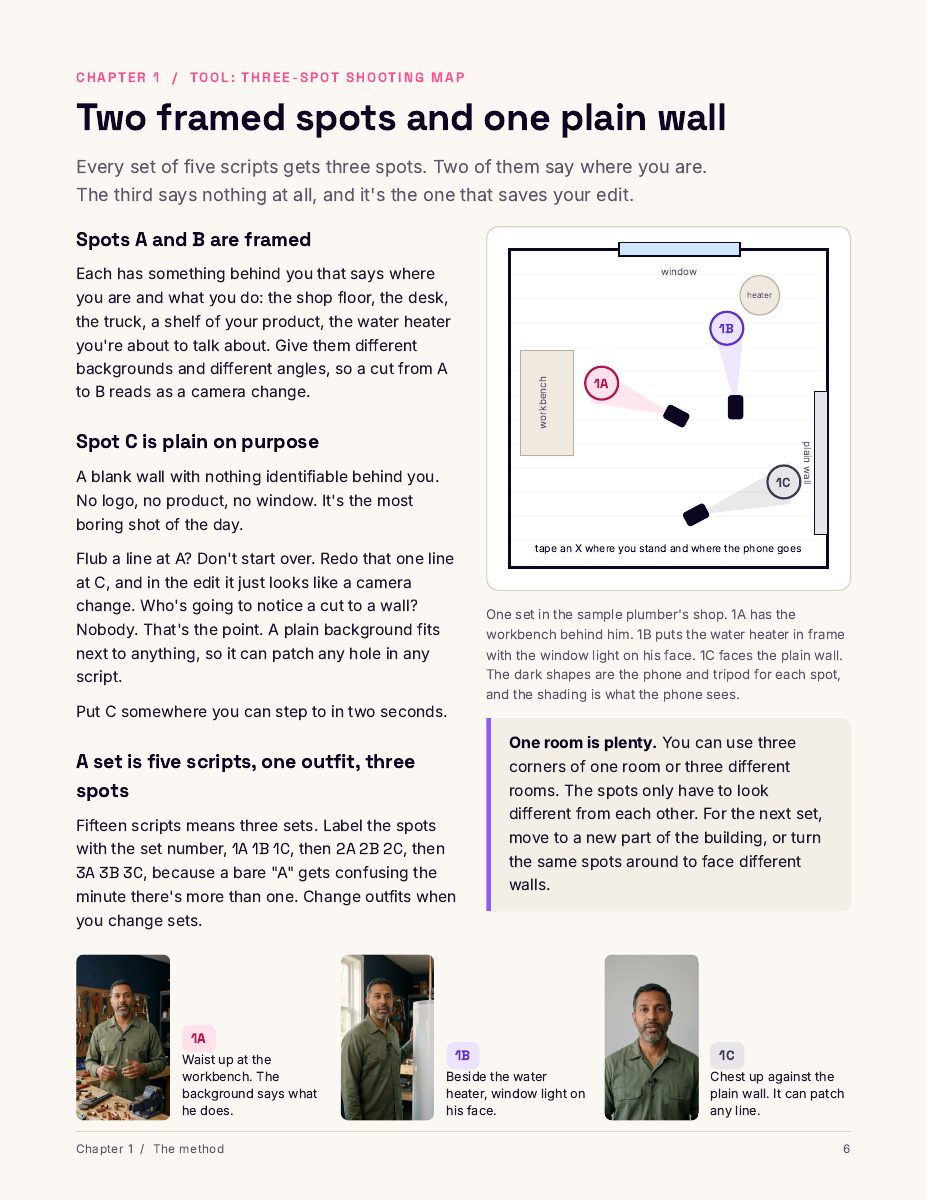
Shoot one spot at a time
Every set of five scripts gets three spots. Two are framed with something behind you that says what you do. The third is a plain wall with nothing identifiable, and it's the one that saves your edit. Flub a line anywhere and you redo that one line at the wall. In the edit it looks like a camera change.
- Blocking rules: five to seven beats a script, never the same spot twice in a row, every script uses all three spots
- Spot picks for a plumber, a real estate agent, a bakery, a personal trainer and a solo creator at home
- A shot list by spot that you hold on shoot day, with a worksheet
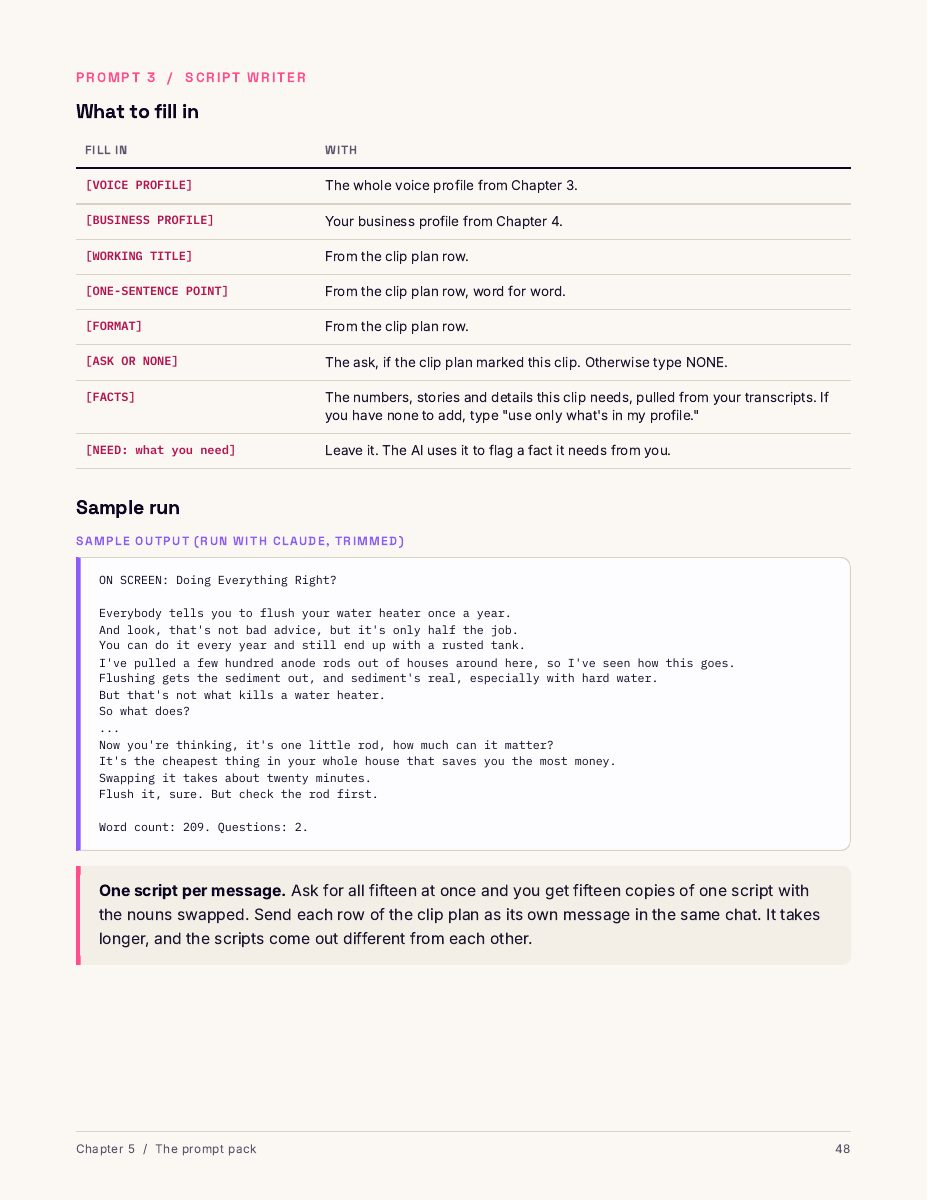
Prompts you copy, with real output under each one
Chapter 5 takes you from a blank page to a shot list and a caption. Idea list, clip plan, script writer, anti-AI pass, on-screen hook writer, beat splitter and caption writer. Every prompt comes with a table of what goes in each bracket and a trimmed sample of what Claude sent back when I ran the whole chain for a sample plumber.
- The AI is told to leave a [NEED] marker where it's missing a fact, so you can search the output before you film
- A fix-it table for output that's off: "everything sounds like a brochure," "it made up a price"
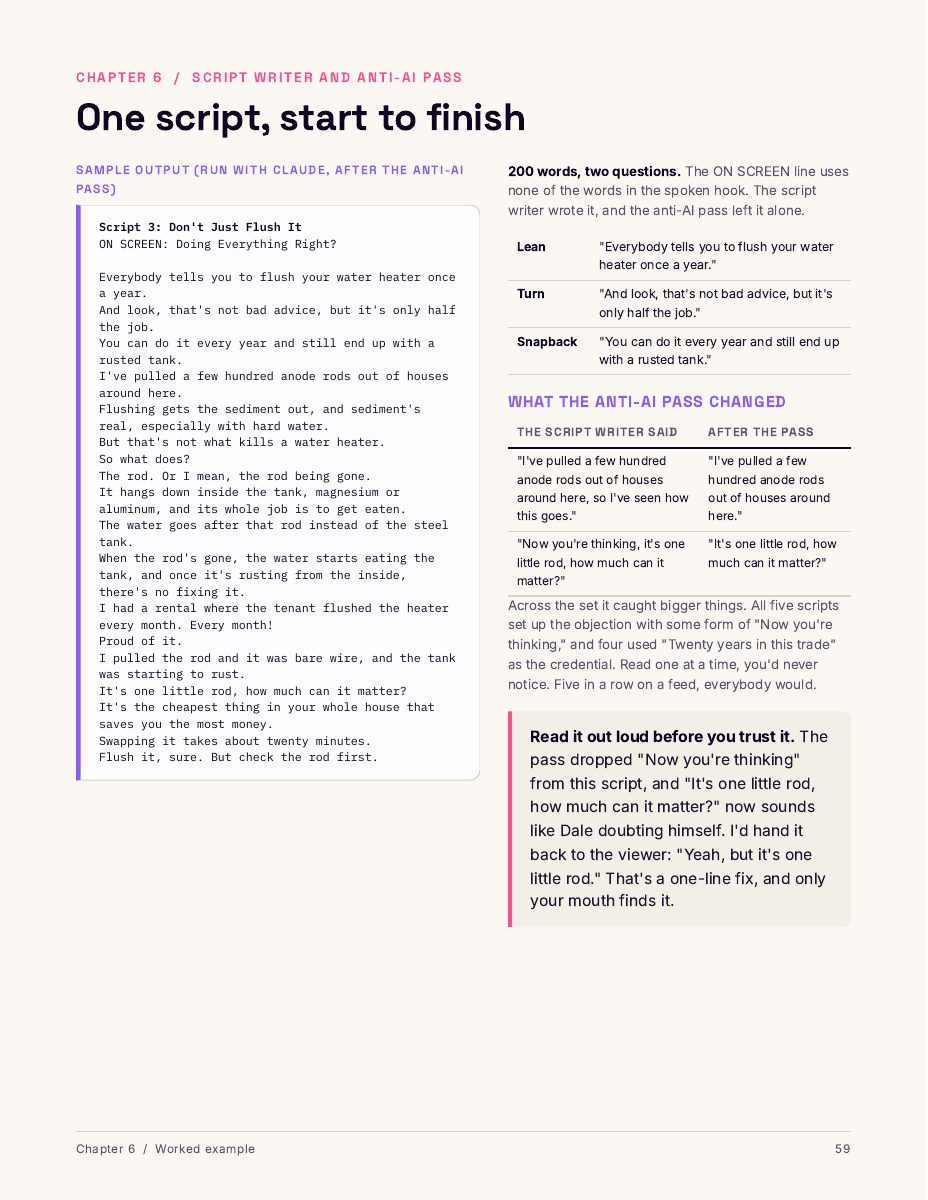
One plumber, from blank page to blocked script
Chapter 6 follows Dale through every prompt. Dale is made up. I wrote his twelve voice memos for the example, since I can't hand you a client's, and Claude wrote everything else. It's printed the way it came back.
You see his voice profile, thirty ideas cut to fifteen, a full script, the beat split and a caption, then every bracket I filled in. I also ran each prompt three times on the same inputs and wrote down what held and what moved. Two prompts slipped in the first round, so I fixed them, and the versions in Chapter 5 are the fixed ones.
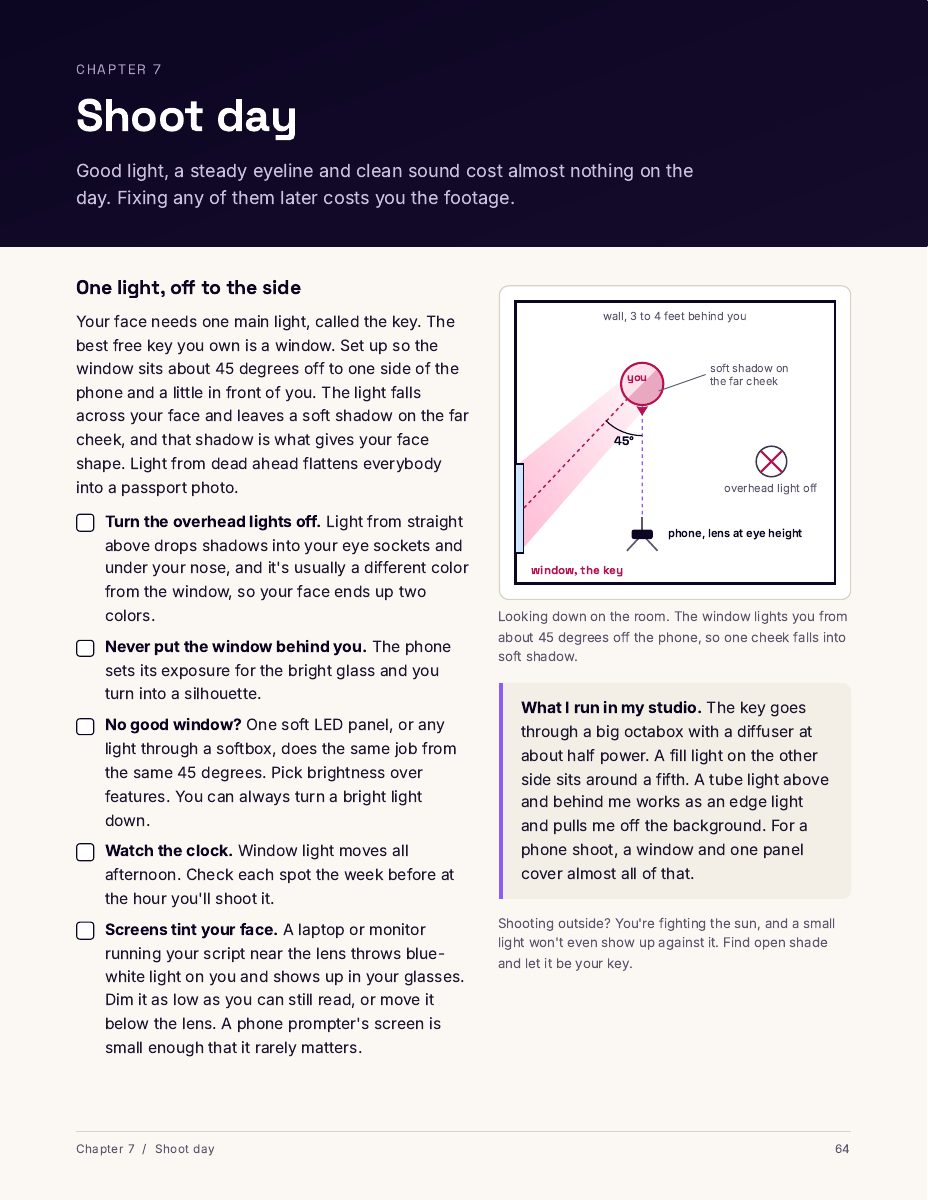
Shoot day, down to where the window goes
Chapter 7 covers light, eyeline, audio, framing for each spot, one outfit per set, slating every take and keeping the last complete one. Sound loses people faster than picture, so there's a mic table that says how a phone mic, Bluetooth earbuds, a wired lav and a wireless lav do on a talking video.
- The shoot day checklist, from the week before through the last take
- What a good day looks like from setup to backup
- Chapter 9 answers the rest: mics, lights, tripods, phone settings, prompter apps, what to wear, how many takes
Scripts that hold attention
A stranger didn't choose your video. They're deciding second by second whether it's worth another second. Chapter 2 writes for that stranger, and starts with the hook.
- The lean
“Everybody says to flush your water heater once a year.”
- The turn
“But that's not what kills it.”
- The snapback
“There's a metal rod inside that tank nobody checks...”
That's the guide's three-beat hook, on the plumber's water heater script, said as one run with no pause. The chapter also covers the words you put on screen for people watching with the sound off, and script flow: a question every 300 to 400 words, the objection said out loud, an ending that lands.
It sets the box every script lives in, 60 to 90 seconds with one idea that stands alone, and shows you how to find ideas in things you've already done. The hook checklist comes with a kill list dated October 2026 and a fifteen-minute weekly routine to keep it current.
Make your AI sound like you
An AI writes like the average of everything it's read, so you get the average plumber, and he doesn't exist. Chapter 3 fixes that with about an hour of talking into your phone.
You answer 26 questions out loud, one to three minutes each. You turn the recordings into text, or pull transcripts from videos you've already posted on YouTube. Then the voice profile prompt turns all of it into a profile your AI reads before every script. A read-it-out-loud test tells you whether it sounds like you. The chapter shows a sample profile, written by Claude from Dale's memos.
Give your AI a memory
Every new chat starts from zero. Chapter 4 is a folder of six plain text files your AI reads before it writes anything. It loads into Claude Projects, ChatGPT Projects, or a folder you open in Claude Code. The starter files come in the download, and a refresh prompt updates them after each shoot.
- business-profile.mdWhat you sell, who calls, your ask
- voice-profile.mdHow you talk
- banned-phrases.mdWords you'd never say
- past-scripts.mdEvery script you've filmed, word for word
- topics-used.mdOne row per video, with how it did
- favorite-hooks.mdOpeners that held, and why
Piece it together
Fifteen scripts can mean two hundred clips. Chapter 8 starts by naming every file so they sort themselves into script order.
If you slated every take out loud on shoot day, Claude can read the slate off the audio and name copies of your clips for you.
Using only Claude
Claude Code on your computer, with ffmpeg and Whisper, both free, running on your machine. You paste two prompts and approve script 1. Claude matches each clip to its line, keeps the last complete take and cuts the rest while you do something else. It needs a paid Claude plan that includes Claude Code, and your video never leaves your computer.
In Descript
Edit the transcript like a document. Delete a sentence and the video goes with it. Exports above 720p need a paid plan.
In Premiere Pro, Resolve or Final Cut
Build the timeline by hand from your file names, or run a prompt that has Claude write an XML timeline your editor opens as a finished rough cut.
Every path keeps the last complete take of each line, in script order, with crew talk out and dead air cut. Captions go on last.
What comes in the download
- The 90-page PDF guide.
- The starter vault. Six text files and a README, each with the plumber's example at the bottom for you to delete once yours is filled in.
- The one-day-shoot Claude skill. The Chapter 5 prompts, packaged so Claude runs them in order and fills the brackets from your files. It installs in Claude Code or the Claude apps.
- A Google Doc and a Google Sheet. Editable copies of the script template and the planning sheet. Open the links in your download email, then choose File, Make a copy.
The five tools inside the guide
If you came from the TikTok video, these are the five pieces it promised. Each has a printable page.
- Planning sheet pages 17 to 19, 43 to 47
- Script template pages 20 to 23
- Hook checklist pages 24 to 25
- Three-spot shooting map pages 6 to 10
- Shoot day checklist pages 66 to 68
Get the kit.
Kit buyers get their first month of Supershoot free when the app launches. There's no launch date yet, and nothing in the guide needs the app.
Get the kit for $47One-time purchase. 7-day money-back guarantee.
7 days, any reason. Read it and plan your shoot. If it isn't worth $47 to you, reply to your download email within 7 days and I'll refund it. No forms, no questions.
Get the kit when it goes on sale.
The kit isn't on sale yet. Leave your email and I'll tell you the day it goes up at $47. Kit buyers also get their first month of Supershoot free when the app launches. The app has no launch date, and nothing in the guide needs it.
$47, one time.
Is this for you?
Yes, if you
- Own a small business or work for yourself and film your own videos
- Have a phone, a tripod, a cheap clip-on mic and a room with a window
- Know you should post more and keep not doing it
- Can block about four hours on the calendar for a shoot
Probably not, if you
- Already have a team writing and filming for you every week
- Want dance trends and lip syncs. This one teaches what you know.
- Want a tutorial for one editing program. Chapter 8 walks three ways to piece the clips together, and it's one chapter of ten.
Who wrote it
I'm Landon Ward. I run Cosmic Arc Media, a video company in San Angelo, Texas. Every week I run this method for local businesses: a real estate agent, a trash hauler, a medical clinic, a church.
Most of the businesses I talk to can't hire a video company yet, and they still need to post. Knowing what to say and how to shoot it without losing a week is where they get stuck. So I wrote all of it down.
Questions
Do I need special gear?
A phone, a tripod and a cheap clip-on mic, plus a prompter app or big printouts. Face a window for light. If you buy one thing, buy the mic, because sound problems lose viewers faster than picture problems.
I'm not a writer. Can I fill fifteen scripts?
The planning sheet pulls ideas out of things you've already done and said, and the template breaks every script into five parts. A script is roughly 150 to 220 words, about what you'd say to a customer across the counter.
Does it work for my kind of business?
If you know something your customers don't, yes. The worked example is a plumber I made up, and the spot picks also cover a real estate agent, a bakery, a personal trainer and a solo creator at home. I run the method for a real estate agent, a trash hauler, a medical clinic and a church.
Do I need a paid AI plan?
The prompts in Chapters 3 to 5 are plain text you paste into a chat, so a free plan can run them, though a full shoot can hit the usage limits. The Claude-only editing path uses Claude Code, which needs a paid Claude plan. The skill is for Claude, and every prompt in it is also printed in the guide.
Can I use ChatGPT?
The prompts are plain text, so they paste into ChatGPT, and the guide shows how to set up ChatGPT Projects. I tested every prompt in Claude, so ChatGPT may need a little more steering. The Claude-only editing path in Chapter 8 is written for Claude Code.
Which platforms is it for?
TikTok, Instagram Reels and YouTube Shorts. Every video is vertical and 60 to 90 seconds, so the same file goes to all three.
How do I get it?
Right after checkout you get a download email with the PDF, the starter vault, the Claude skill and links to the Google Doc and Google Sheet. Open each link and choose File, then Make a copy.
It isn't on sale yet. Leave your email above and I'll send you the link the day it goes up. When you buy, you get a download email with the PDF, the starter vault, the Claude skill and links to the Google Doc and Google Sheet. Open each link and choose File, then Make a copy.
How does the free month of Supershoot work?
Everyone who buys the kit gets their first month of Supershoot free when the app launches. I'll email kit buyers when it's ready, with the steps to claim it. Ticking the kit box on the waitlist form below tells me which signups bought the kit. Pricing for the app gets announced at launch.
I also built an app for shoot day.
Supershoot is an iPhone app for this kind of shoot. It records each beat as its own clip, tagged by script, beat and spot, assembles each script in beat order with the gaps trimmed, makes optional captions from what you said, and exports an editor package for Final Cut, Premiere or DaVinci. It isn't open yet.
See what the app does